For PTOs and booster clubs
One platform runs your whole board.
Less time on admin. More time with the teachers and kids.
Free forever. Leave whenever you like. No setup fee, ever.
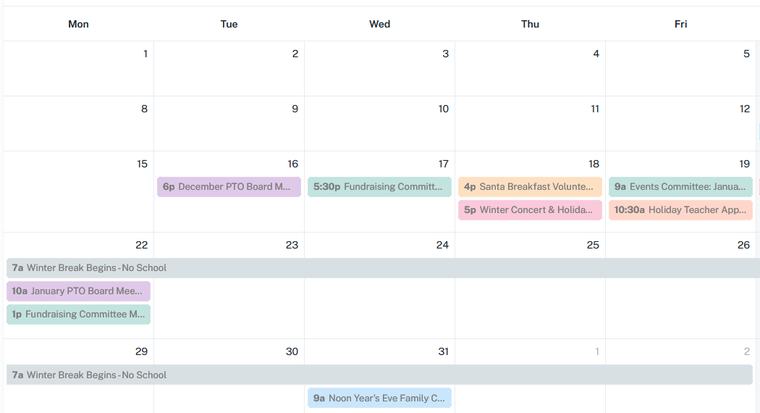
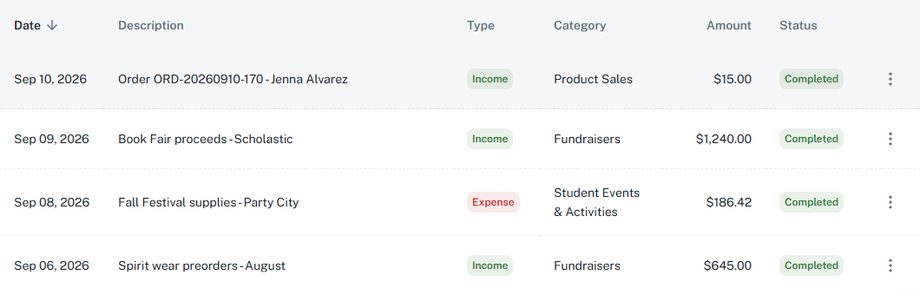
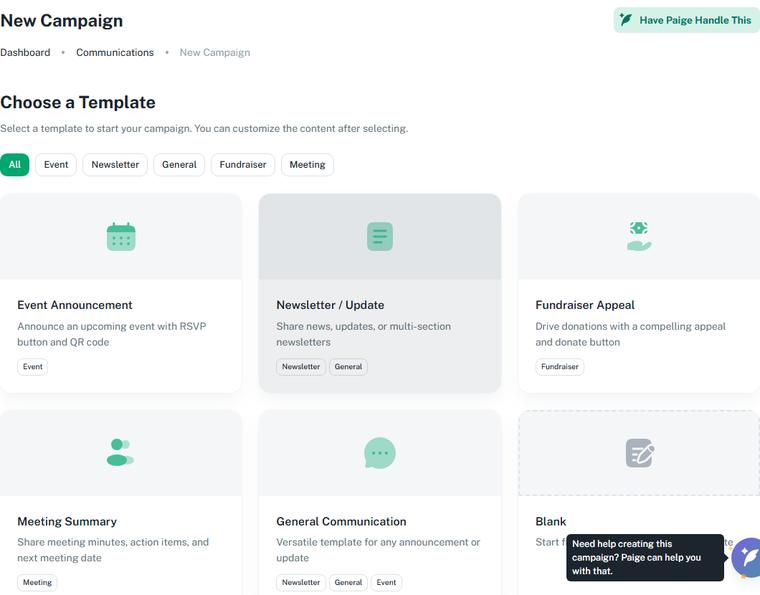
Screens from our preview site, with test data.
Screens from our preview site, with test data.
My wife spent years running our PTO: treasurer, event coordinator, receipts in her car, one QR code that was a year old. I built GroupSmarter watching her do all of it with twelve browser tabs open on her laptop at the kitchen table.
Which seat are you in?
Every seat on this board gets less admin, and more time for the kids.
President · the whole year
Everything this board decided lives here, so nothing gets lost when the seat changes hands.
One calendar and one dashboard hold the whole year: every event, every meeting, every fundraiser, and who agreed to bring what.
Calendar · Events · Meetings · Kanban · Members
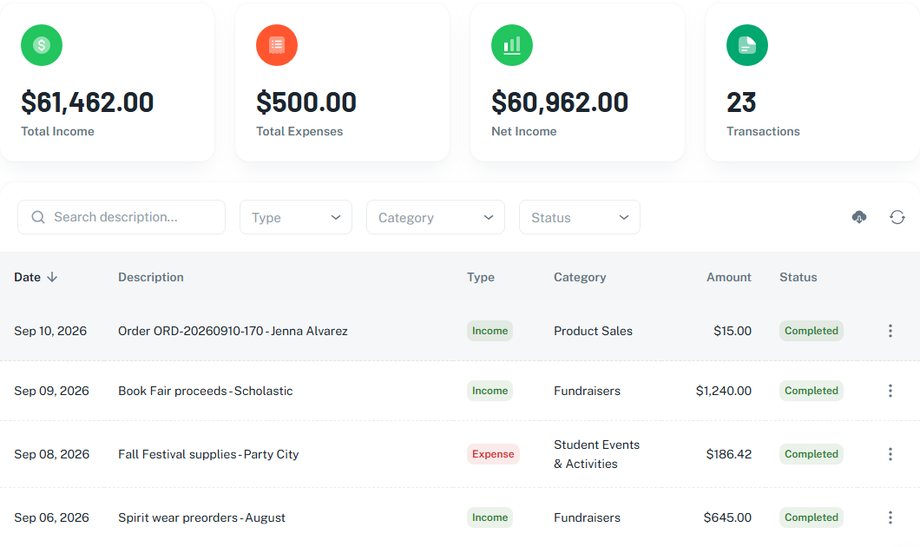
Treasurer · the books
Every dollar lands somewhere you can explain in June.
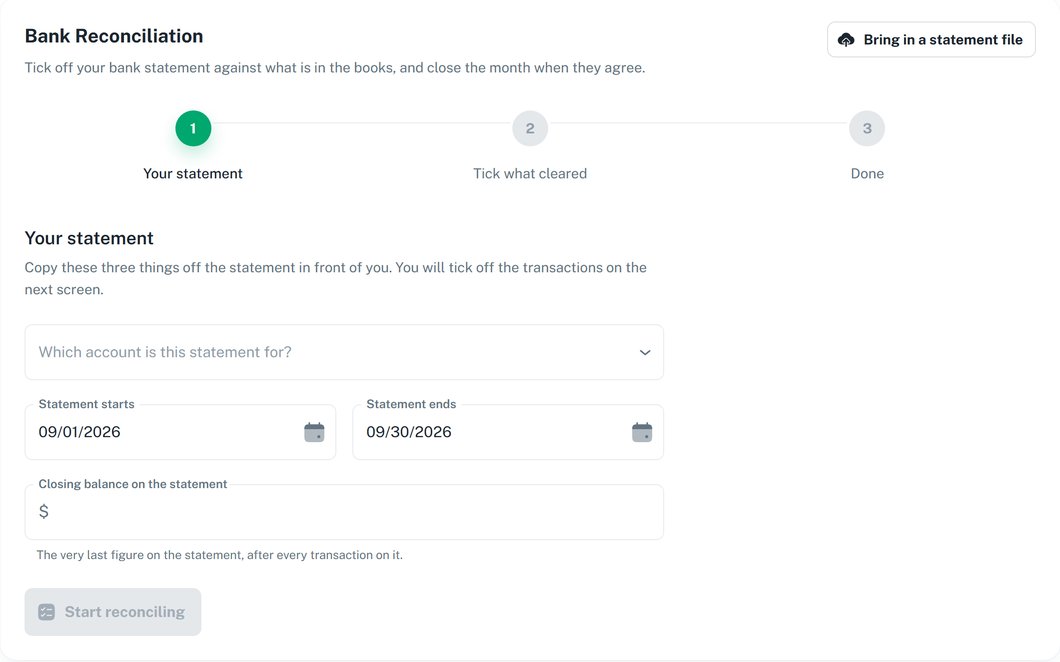
Online sales post to your books automatically. Match the books to your bank statement, approve a receipt from your phone, print the report the board asks for.
Dashboard · Transactions · Submit Expense · Approvals · Analytics · Categories · Accounts · Reconciliation · Reports
Secretary · the words
Every flyer, every email, every post lands on you.
Paige writes the first draft. You make it sound like you, then send it through your own email or group.
Communications · News Board · Messaging
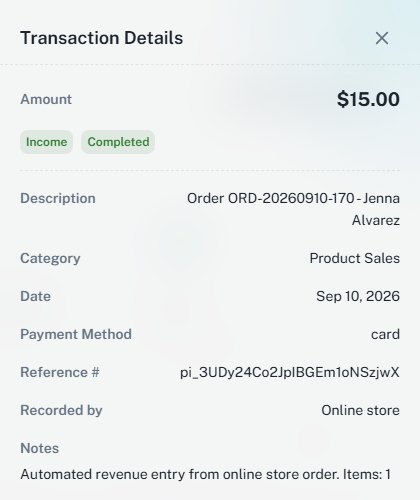
She taps Pay on her phone.
And it lands here. Nobody typed it in.
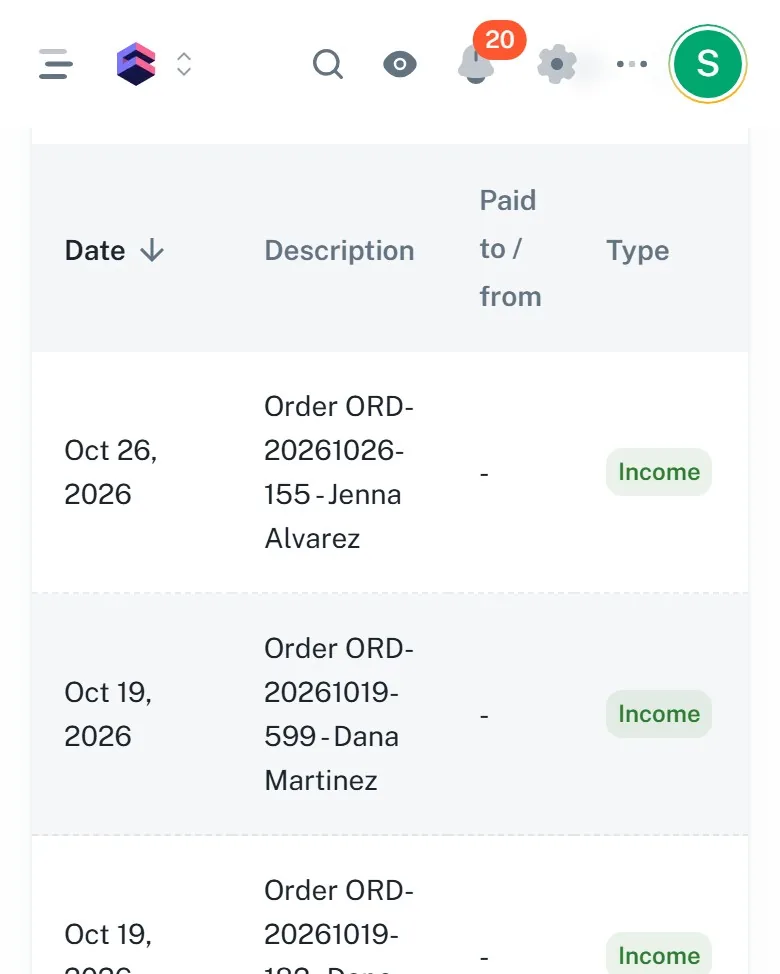
Recorded on our test store: one purchase, two screens, shortened.
What you're already juggling
You already have five tools. You're the one connecting them.
Right now, you're the one holding all of those together in your head, and that's not because you're disorganized. It's because nobody ever built the thing that connects them.
Today
One vendor's website takes your online payments. Then you export the orders and type each one into your bookkeeping system.
Today
Several personal calendars, each tracking different things: the meetings on one, the events on another, the volunteer shifts in a group chat.
Today
One person writes every post, every email and every flyer, from a blank page, every time.
Today
The books live in a spreadsheet or a bookkeeping program, and reconciling waits on receipts that are still in someone's car. The district wants the report anyway. Every month.
Every job your board already does, now in one place, talking to each other.
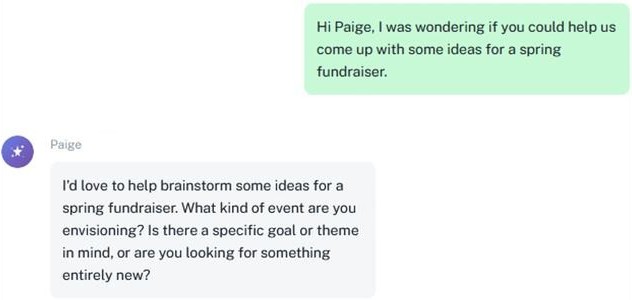
Paige
The one who remembers what last year's board knew.
She looks at what your group did last year and tells you what worked.
She plans the next budget from what past events actually cost.
She drafts the announcement. You edit it and send it out.
What it costs, side by side
Compare costs to what you use now.
Current as of September 2026 · Sources
- Zeffy's pricing page, zeffy.com/pricing, checked September 30, 2026: Zeffy "relies entirely on optional tips from your donors", and "on average, 2 out of 3 donors leave us a tip."
- The 17% contribution: a real $12 school fundraiser checkout on Zeffy, August 4, 2026.
- Cheddar Up pricing, cheddarup.com/pricing, checked September 30, 2026.
- PTO Today Finance Manager, ptotoday.com/finance-manager, checked September 30, 2026.
- MoneyMinder pricing and store pages, moneyminder.com, checked September 30, 2026.
- GroupSmarter: the rates on our pricing page, worked on a $12 item.
Zeffy
Zeffy charges your PTO nothing. At checkout it asks the parent for a contribution to Zeffy on top of the order, suggested as a percentage of the amount. On a real $12 school fundraiser checkout on August 4, 2026, the suggestion was 17%, so the parent was asked for $14.04. The parent can set it to $0. That contribution goes to Zeffy, not to your PTO: Zeffy's own pricing page says it relies entirely on those contributions, and that about two of three people leave one. Your board never sees that screen. The parent does.
GroupSmarter
Either way, your PTO receives the full $12. The difference is what the parent is asked for, and who it goes to. On GroupSmarter the parent sees one platform fee, named as a fee: $1.04 on Free or $0.92 on Complete on a $12 order, shown before they pay. Nothing else is asked, and the fee schedule is printed here and on the pricing page, where your board can see it.
The platform fee is 4.5% + $0.50 on Free and 3.5% + $0.50 on Complete, added to the buyer's total at checkout and shown to them before they pay. Your organization receives the full item, ticket, or donation amount on both plans. Zeffy's suggested contribution is set by Zeffy and varies by amount. The 17% shown here is what appeared on a real $12 school fundraiser checkout on August 4, 2026. Zeffy's current policy is linked in the sources.
| The parent pays | Parent | PTO gets |
|---|---|---|
| Zeffy, suggested contribution accepted | $14.04 | $12.00 |
| GroupSmarter Free | $13.04 | $12.00 |
| GroupSmarter Complete | $12.92 | $12.00 |
| Zeffy, contribution set to $0 | $12.00 | $12.00 |
Cheddar Up
Cheddar Up collects payments, and its paid plans add a group website and templates. The free plan is $0; Pro is $15 a month billed annually, $180 a year; Team is $35 a month, $420 a year. The card fee is 3.95% + $0.95 on the free plan and 3.59% + $0.59 on the paid plans. By default the parent pays that fee; the organizer can choose to absorb it instead. The books live somewhere else.
GroupSmarter
Either way, your PTO receives the full $12. On Cheddar Up's free plan the parent pays $1.42 in fees; on GroupSmarter, $1.04 on Free or $0.92 on Complete. And on GroupSmarter the page, the store, the calendar and the books are one account, so the sale is already in the books.
| The parent pays | Parent | PTO gets |
|---|---|---|
| Cheddar Up Free, fee passed to the parent | $13.42 | $12.00 |
| GroupSmarter Free | $13.04 | $12.00 |
| Cheddar Up Pro, $180 a year, fee passed to the parent | $13.02 | $12.00 |
| GroupSmarter Complete, $199 a year | $12.92 | $12.00 |
Finance Manager and MoneyMinder
What a year of bookkeeping costs, what your organization pays on every card sale, and where the sale itself happens.
PTO Today Finance Manager
$139 a year. The ledger, the budget, the reports. Selling happens somewhere else.
MoneyMinder
$299 a year. Card sales through its Cheddar Up integration post into the books by themselves; the organization pays 0.4% on every sale, on top of what the buyer pays.
GroupSmarter
Free, or Complete at $199 a year for every year of your books in one place. The store and the books in one account. Every card sale posts to the books by itself, and your organization receives the full amount.
Not yet in GroupSmarter: bank feeds and 990-EZ e-filing.
Pricing
One price a year, voted once.
Free is free forever, and your organization keeps 100% of what it raises on either plan.
Free
Runs your whole year: the store, the events, the announcements, and the books.
- Unlimited officer seats
- Unlimited members
- Events, budgets, minutes, roster, documents, campaigns, and your store
- Reconciliation and reporting for the current fiscal year
- Paige, your assistant, included
- Buyer pays 4.5% + $0.50 on each purchase. Your organization receives 100%
- Export everything, receipts included
Complete
RecommendedYour books don't start over in June.
Founding organizations pay nothing for Complete's features, as they are the day they join. Only the lower platform fee costs $149 a year. That price never rises while the organization stays continuously subscribed.
- Everything in Free
- Every fiscal year in one place, not just this one
- Bring your history with you: import past years
- The officer transition pack, ready at every handoff
- The reports your school or district asks for
- Trend reports across years
- Buyer pays 3.5% + $0.50 on each purchase. Your organization receives 100%
The platform fee is 4.5% + $0.50 on Free and 3.5% + $0.50 on Complete, added to the buyer's total at checkout and shown to them before they pay. Your organization receives the full item, ticket, or donation amount on both plans.
Your fiscal year is the year your board uses for its books.
See it before you ask your board
Riverbend Elementary PTO is a demo. Poke around.
A whole school year already on the page: a popcorn sale partway to goal, two events, a news post, four products. Checkout stops before a charge, and it says so.
See the demoForward to your board
Take this to your next board meeting.
Inside: what changes, what it costs the parent and what the PTO gets, the demo link, and a printable version for whoever brings paper.
Get the vote kitFAQs
We've got the answers.
Is the free plan really free?
Yes.
Free is free forever, with unlimited officer seats and unlimited members, the full platform for your current fiscal year, and Paige included. You can export everything, receipts included, whenever you like. Organizations can complete Stripe-hosted payout setup on either plan. When someone pays online, a platform fee of 4.5% + $0.50 on Free, or 3.5% + $0.50 on Complete, is added to their total and shown to them before they pay — your organization receives the full item or donation amount either way.
Is Paige included, or does she cost extra?
Paige is included on both plans, with no per-message counter and nothing to top up. Ask her questions, get help drafting emails, have her analyze your budget. It is part of the platform, not a meter running in the corner.
Is my organization's data secure?
Yes. Your data is encrypted with 256-bit AES encryption and stored on Amazon Web Services (AWS) infrastructure. Each organization's data is completely isolated - no one else can access it. Payment processing runs through Stripe's PCI-DSS Level 1 certified platform, the same security trusted by Amazon and Shopify. We never sell, share, or monetize your data.
Can I upgrade or downgrade my plan?
Yes, change plans anytime from Organization Settings. Upgrades take effect immediately. Downgrades take effect at the end of your current billing period.
Do all our members count against our plan?
Nothing counts against your plan. Officer seats and community members (volunteers, parents, general members) are all unlimited on both Free and Complete. There is no seat limit to run into and nothing to upgrade for capacity.
What do the subscription plans cost?
There are two plans. Free is $0 forever. Complete is $199 a year, billed annually and aligned to your fiscal year so it lands on one budget line and one vote. Officer seats and members are unlimited on both, support is the same on both, and both export everything. Complete adds every fiscal year in one place, importing your history, the officer transition pack, your district quarterly report, and trend reports across years. The platform fee is 4.5% + $0.50 on Free and 3.5% + $0.50 on Complete.
Can I use GroupSmarter for collecting payments?
Yes, on both plans. Your organization sets up payouts with Stripe, starting from its Payments & Payouts page in GroupSmarter. A platform fee of 4.5% + $0.50 on Free, or 3.5% + $0.50 on Complete, is added to the buyer’s total and shown to them as its own line before they pay, so your organization receives the full item or donation amount on either plan. The one exception is a card issued outside the United States: Stripe’s fee on it can be higher than the platform fee, and your organization may then receive slightly less than the full amount.
How is GroupSmarter different from other tools?
Unlike generic project management tools, GroupSmarter is purpose-built for school volunteer groups. We understand PTO budgets, booster club fundraisers, and PTA meetings.
Does our whole board have to sign up?
No. One officer signs up and invites the rest whenever they like. Families never need an account to buy.
What do we need before we can take payments?
Stripe verifies a real person before money can move: one officer's ID, your organization's EIN (its tax ID), and the bank account the money lands in. Have those three ready and the form takes a few minutes. Stripe's own review can take longer, and we show you where it stands.
Can we start partway through the school year?
Yes. Start with this month. Your books begin the day you do.
Can we put it on our phones like an app?
Yes. Add it to your home screen and it opens like an app. A one-page how-to shows the steps on iPhone and Android.
See the how-toIt's free. Run one fundraiser before you decide anything else.
Get Started Free